Your engineering team has just been asked to expose an internal system (project tracking, CRM, custom database, proprietary workflow tool) to Claude or another MCP-compatible AI. The MCP spec looks straightforward. Reference implementations exist. Your team has never built one and does not know where to start.
That is the MCP server development conversation across UK and US enterprises in 2026. The protocol is mature and the SDKs are good. What is not obvious from the specification is the architectural pattern, security layer design, and versioning discipline that separate MCP servers surviving production from those replaced within six months.
This article is a practical guide for engineers, tech leads, and CTOs building custom MCP servers. What building involves. The three architectural primitives. Language and SDK choices. Authentication and authorisation. Development timeline. Versioning.
What Building an MCP Server Involves
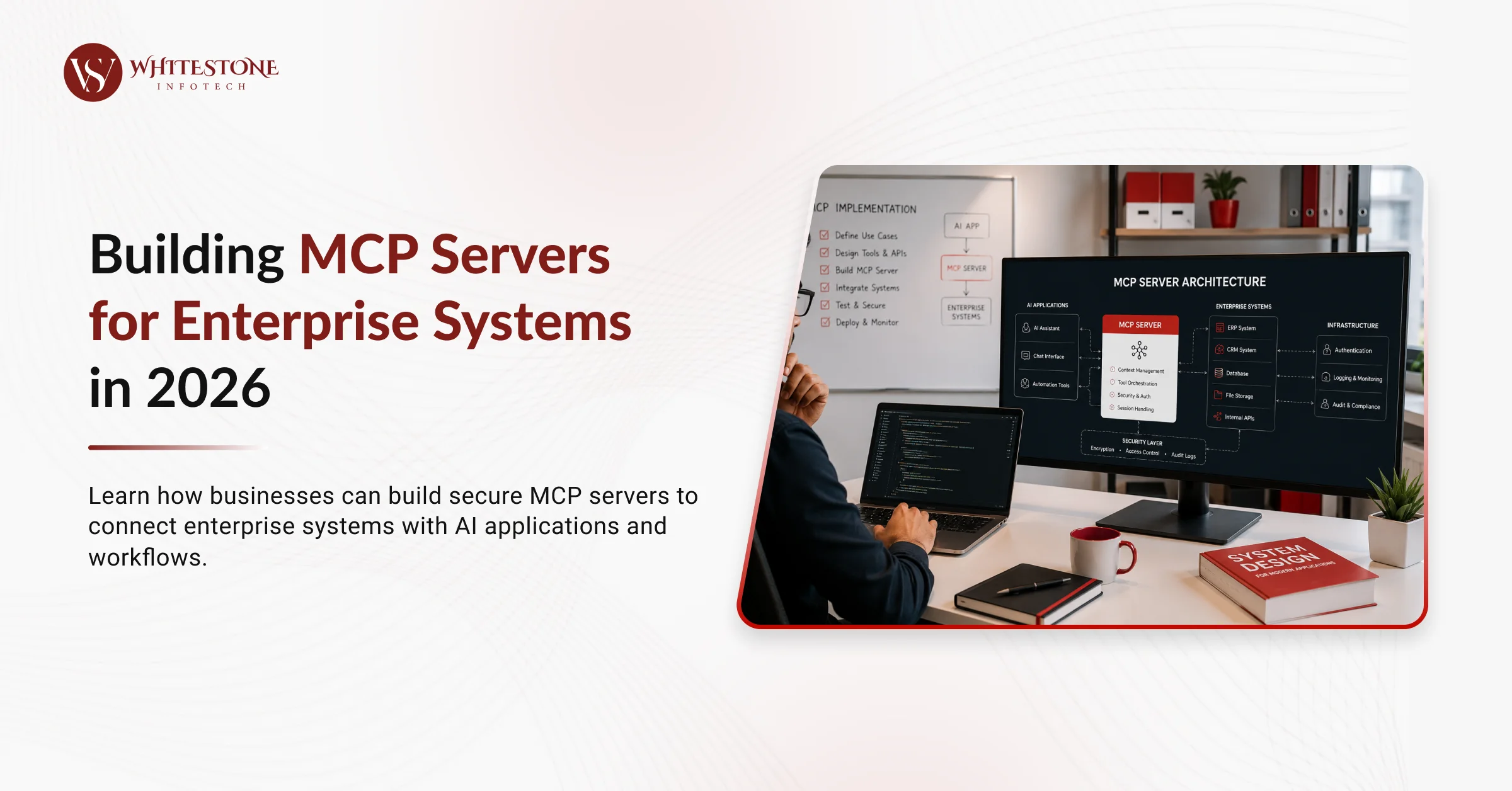
Six steps to a working MCP server.
1. Define what the server exposes. Resources (readable data: files, records, query results), tools (invokable actions: create, update, delete, run), prompts (parameterised templates AI can use as starting points). List every primitive with schema.
2. Implement primitive handlers. For each resource, handler returns data. For each tool, handler executes action and returns result. For each prompt, handler returns filled template. SDK provides the transport and marshalling; you write the business logic.
3. Add authentication and authorisation layer. Who can connect (auth). What can they access (authz). Data filtering per user identity. This is the biggest architectural decision.
4. Handle transport. Local MCP servers use stdio (standard input/output) for AI clients running locally. Remote MCP servers use HTTP with Server-Sent Events (SSE) for network access. Choose based on deployment model.
5. Test with reference AI client. Claude Desktop supports MCP natively for local development testing. MCP Inspector (open source) provides web-based testing UI. Test each primitive end-to-end before production.
6. Deploy and monitor. Package for target environment (container, serverless, VM). Add logging, metrics, error tracking. Handle graceful degradation when downstream systems are unavailable.
The Model Context Protocol specification is the authoritative reference for each step. The GitHub MCP reference implementations provide working examples across common patterns.
The MCP Server Architecture (Resources, Tools, Prompts)
Three primitives define what an MCP server offers.
Resources. Read-only data the server exposes. Files, database records, query results, current state. AI client requests a resource by URI; server returns content. Good for exposing static or query-driven data.
Tools. Invokable actions AI can trigger. Create record, update field, run query, send message, execute workflow. Server receives tool call with arguments, executes, returns result. Good for enabling AI to take action.
Prompts. Parameterised templates AI can use as conversation starters. Server provides the template; AI fills in and uses. Good for standardising common AI workflows against your data.
Most MCP servers implement resources plus tools. Prompts are optional but useful for guiding AI clients to correct patterns.
Discovery. Client discovers what a server offers via list operations: list_resources, list_tools, list_prompts. Server responds with metadata (name, description, schema). AI uses this to decide what to invoke.
Language and SDK Choices
Four viable SDK options in 2026.
Python SDK. Most common. Largest community. Fastest to prototype. Best for MCP servers wrapping Python-native systems. Ideal starting point for most teams.
TypeScript/JavaScript SDK. Good for existing Node.js infrastructure. Full-stack teams often prefer TypeScript. Deploy via Node.js, Bun, or Deno.
Rust SDK. Best performance, memory safety, enterprise-grade reliability. Higher learning curve. Best for high-throughput or compliance-sensitive deployments where reliability matters more than development speed.
Community SDKs (Go, Java, C#, others). Varying maturity. Growing rapidly through 2026. Choose based on existing enterprise stack and SDK feature completeness.
Language choice usually follows existing enterprise stack. Python for data-heavy Python shops. TypeScript for JavaScript-first teams. Rust for performance-critical or compliance-heavy deployments. Java or C# when integrating with existing enterprise systems.
Authentication, Authorization, and Data Access Control
The single most important design decision for remote MCP servers.
Local MCP (stdio). AI client runs on same machine as MCP server. OS-level user context authenticates the request. Server assumes the user identity from the process. Simple; suitable for developer tools and personal productivity.
Remote MCP (HTTP+SSE). AI client connects over network. Requires explicit authentication.
OAuth 2.1 with PKCE: spec-compliant standard for delegated authorisation. AI client authorises against enterprise IdP. Server receives access token and validates. Best for enterprise deployments with existing OAuth infrastructure.
API tokens with rotation: simpler than OAuth. Static token generated per client, rotated periodically. Suitable for service-to-service integration where OAuth is over-engineered.
mTLS (mutual TLS): certificate-based authentication. Both server and client authenticate via certificates. Suitable for high-security environments (finance, defence, government).
Authorisation (what authenticated user can access).
Per-resource: which resources the user can read
Per-tool: which tools the user can invoke
Per-argument: what values the user can pass to tools
Data access filtering. Server filters returned data per user identity before returning. "List customers" returns only customers the current user has access to, not all customers.
Common failure mode. MCP servers deployed with authentication but no authorisation. AI can read any data any user could read. No per-user filtering. Compliance disaster waiting to happen.
Development Timeline and Cost
Simple read-only MCP server (single data source, no policy):
3-7 days
Cost: £3k-£10k in engineering time
MCP server with write actions and basic policy:
1-3 weeks
Cost: £8k-£30k
Complex MCP server with multiple data sources:
3-6 weeks
Cost: £25k-£70k
Production-hardened MCP server with monitoring, OAuth, comprehensive testing:
4-8 weeks
Cost: £40k-£120k
Multiply by 1.5-2x for teams new to MCP (SDK learning, protocol conventions, testing patterns).
Ongoing maintenance. Roughly 10-20 percent of build cost annually for updates, security patches, and evolution as connected systems change.
Cost comparison. Custom MCP server is materially cheaper than bespoke AI-tool integration across multiple AI providers. Break-even against single-integration cost typically happens after supporting 2-3 AI clients.
Versioning and Backwards Compatibility
Versioning matters more than most teams realise.
Semantic versioning. major.minor.patch. Follow strict rules; MCP clients may be pinned to specific versions.
Safe changes (minor version bump).
Adding new resources
Adding new tools
Adding optional arguments to existing tools
Adding new prompts
Breaking changes (major version bump).
Removing resources or tools
Changing tool argument names or types
Making previously-optional arguments required
Changing resource URI schemes
Deprecation cycle. Announce deprecation in current major version → include in next major → remove in following major. Two major versions of notice minimum for enterprise clients.
Documentation. Every version change documented in changelog. Breaking changes highlighted. Migration guidance for clients.
Teams that skip versioning discipline break AI clients unexpectedly. Teams that maintain discipline preserve compatibility while evolving capability.
What We Learned Building MCP Servers
We built custom MCP servers for internal WhiteStone operations and in client engagements. Two lessons transfer directly.
Authentication layer took longer than the primitives. Our first custom MCP server for internal project tracking took 4 days to build the resources and tools. It took another 6 days to implement OAuth 2.1 with PKCE, per-user data filtering, and audit logging. Auth is the harder half; budget accordingly.
Testing with real AI client early catches design mistakes. Testing MCP servers via MCP Inspector alone missed usage patterns real AI clients follow. Testing via Claude Desktop with realistic queries surfaced tool argument design issues and resource URI patterns that needed refinement. Test early with real client.
You can see our shipped work at our portfolio. If you want a candid conversation about MCP server development, book an MCP development call with WhiteStone. See our earlier post MCP (Model Context Protocol) Explained for Business Leaders for the business context that shapes MCP adoption decisions.
Common Failure Modes
Three failure modes we see repeatedly.
Building MCP server without authentication layer. Local testing works. Deployed to production. AI can read any data. Compliance breach on first audit.
Skipping data access filtering. Authentication in place; authorisation missing. User A's AI can query User B's data. Discovered when User B notices.
Ignoring versioning discipline. Team ships v1.0. Six months later, changes tool signatures without bumping major version. Deployed clients break silently. Trust in MCP server erodes.
Frequently Asked Questions
What does building an MCP server look like in 2026?
Define three primitives (resources, tools, prompts), implement handlers using the SDK for your chosen language, add authentication and authorisation layer, handle transport (stdio for local, HTTP+SSE for remote), test with Claude Desktop or MCP Inspector, deploy and monitor. Simple read-only server takes 3-7 days; production-hardened server takes 4-8 weeks.
How do you secure an MCP server?
Local MCP uses OS-level user context. Remote MCP requires explicit authentication: OAuth 2.1 with PKCE (best for enterprise), API tokens with rotation (simpler), or mTLS (highest security). Add authorisation per resource and per tool. Filter returned data per user identity. Log all access for audit trail.
How do you version an MCP server?
Semantic versioning (major.minor.patch). Adding resources, tools, or optional arguments is a minor bump. Removing capabilities, changing tool signatures, or making arguments required is a major bump. Deprecation cycle: announce, next major, remove. Two majors of notice minimum for enterprise.
Which SDK should we use for MCP server development?
Python for fastest prototyping and largest community. TypeScript for existing Node.js infrastructure. Rust for maximum performance and reliability. Community SDKs for Go, Java, C# with varying maturity. Choose based on existing enterprise stack.
How long does it take to build a custom MCP server?
Simple read-only server: 3-7 days. Server with write actions and policy: 1-3 weeks. Complex server with multiple data sources: 3-6 weeks. Production-hardened server with OAuth, monitoring, and testing: 4-8 weeks. Multiply by 1.5-2x for teams new to MCP.
The One Thing to Remember
Building MCP servers is a solved pattern in 2026 with mature SDKs and clear architecture. The primitives (resources, tools, prompts) are straightforward. What separates production-ready MCP servers from prototypes is the authentication and authorisation layer, versioning discipline, and testing with real AI clients.
Teams that treat these as first-class engineering concerns from day one ship MCP servers that survive production. Teams that treat them as afterthoughts ship servers that get replaced within six months.
If you want a candid conversation about your specific MCP development, browse our AI development services or come to the call.